Netflix Redesign
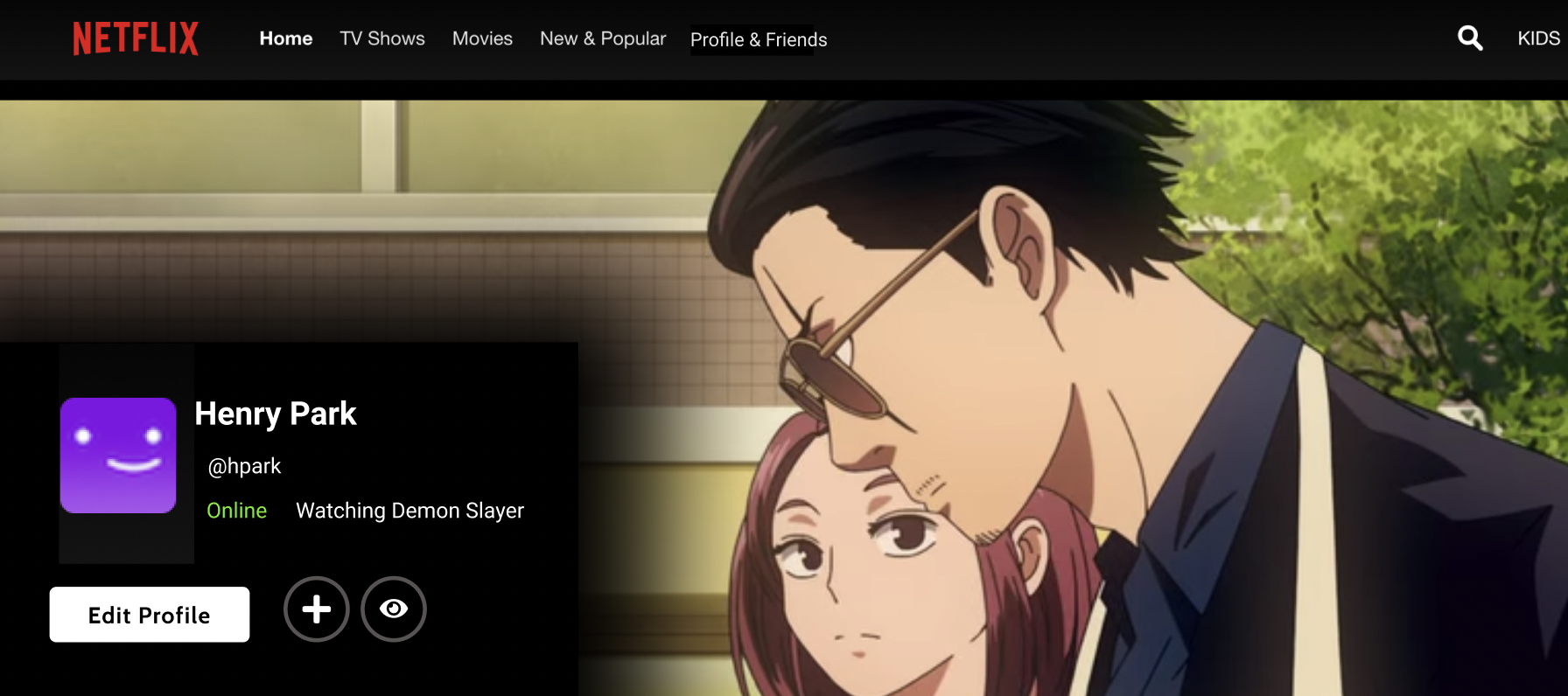
To create more community around Netflix shows, I focused on adding three features: Watch Party, Learn More, and Sorted Lists.
Roles: User Researcher, Interaction & Visual/Interface Designer
Class: Applied Product Design (Mar 2021 - Jun 2021)
Team: Solo Project
Project Prompt: Add social features to Netflix. Specifically to create communities around Netflix Originals.
Act I: Research
I started by doing product research. This involved looking at video media products (Netflix Party, Viki, Crunchyroll, Letterboxed, YouTube, Prime Video, Scener, and Kitsu) that used social features.
Crunchyroll is an anime streaming service. Crunchyroll's social features aren't well-developed or a priority as they're not on the app version yet. They seem to be hiding forums and groups in the search on purpose. They rely on sharing on external sites for anime social experience.
Kitsu is an anime tracking site. It’s similar to MyAnimeList or Letterboxd. They have various social features like ratings, reactions, friend-making, etc. Though I was most fascinated by their library and how they sorted people’s show lists. See the image below.
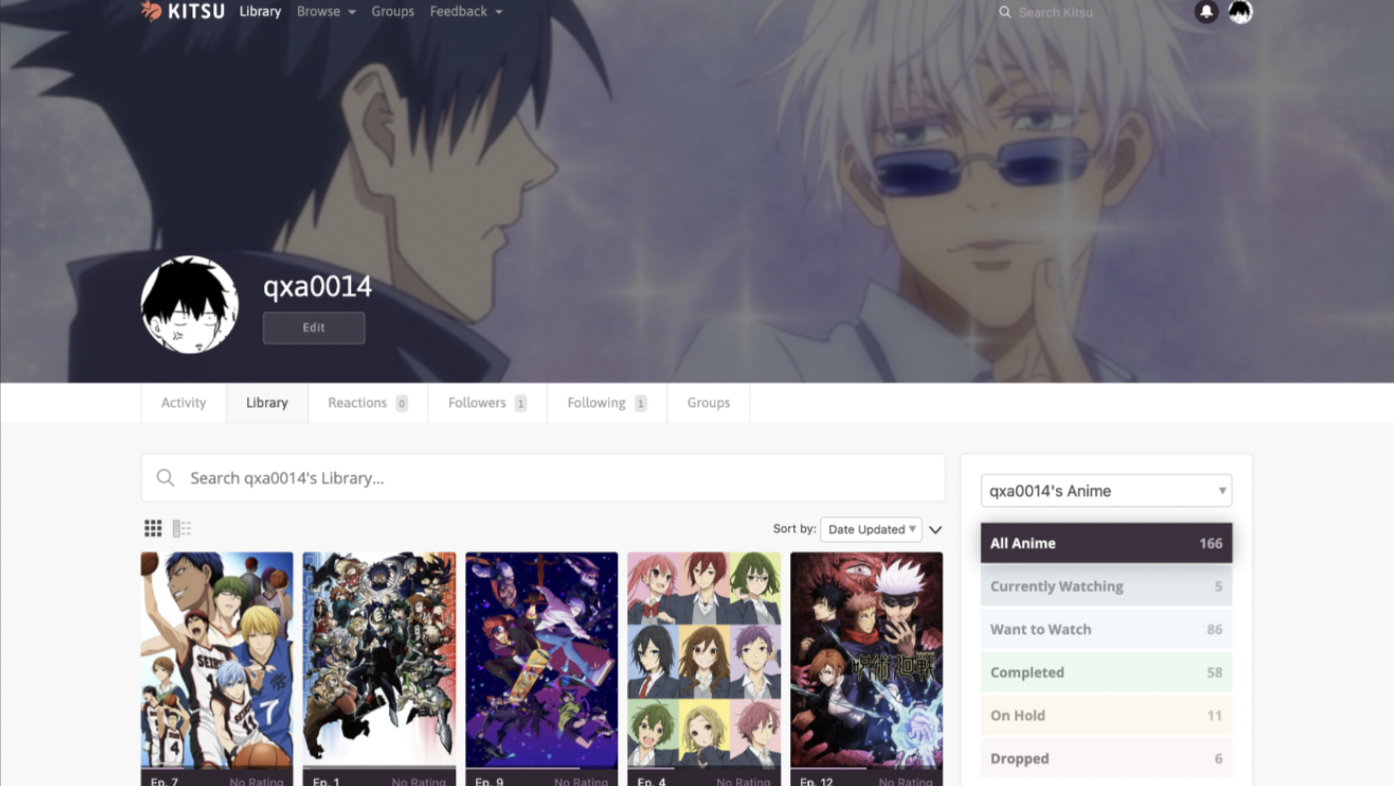
Kitsu allows users to sort their saved shows into several categories including: “Currently Watching”, “Want to Watch”, “Completed”, etc. These lists can be seen on a user’s profile page. Mine is shown above.
Overall I noticed there are a lot more social features in niche communities. Popular features include lists, comments, watch parties. See details here.
Vision Statement
Grow communities that Netflix Original fans are able to comfortably participate in.
Product Strategy
Watchers of Netflix Originals should be able to discuss that show with other watchers after viewing that show.
I created personas to represent potential users of my designs.

Simeon Nakamura
Simeon watches a lot of Asian dramas on Viki, but oftentimes turns off or ignores the social features because differing opinions tend to ruin his viewing experience. He only really listens his friends' opinions. He loves watching TV, but only really watches ones that are trending or stand out to him.
Darnah Ackerman
Darnah uses Netflix as well as more social media oriented streaming platforms like Twitch. She doesn't engage with the online community beyond watching TikTok content. Her IRL friend group is her main way of discussing shows, but also wants to understand social media references to shows.
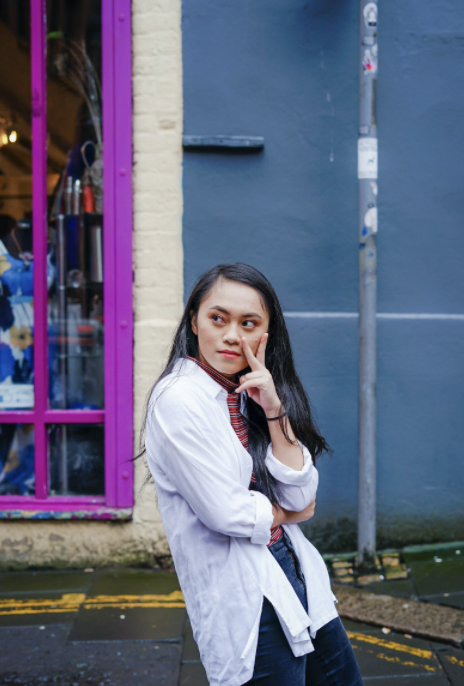
Belinda "Bee" Aquino
Bee already has a heavy workload due to her studies, but the pandemic has further restricted her social life. She's always been a fan of K-dramas, and is now more involved with the community. Creating content and conversing with her Twitter mutuals is Bee's new favorite pastime.
Early Iterations
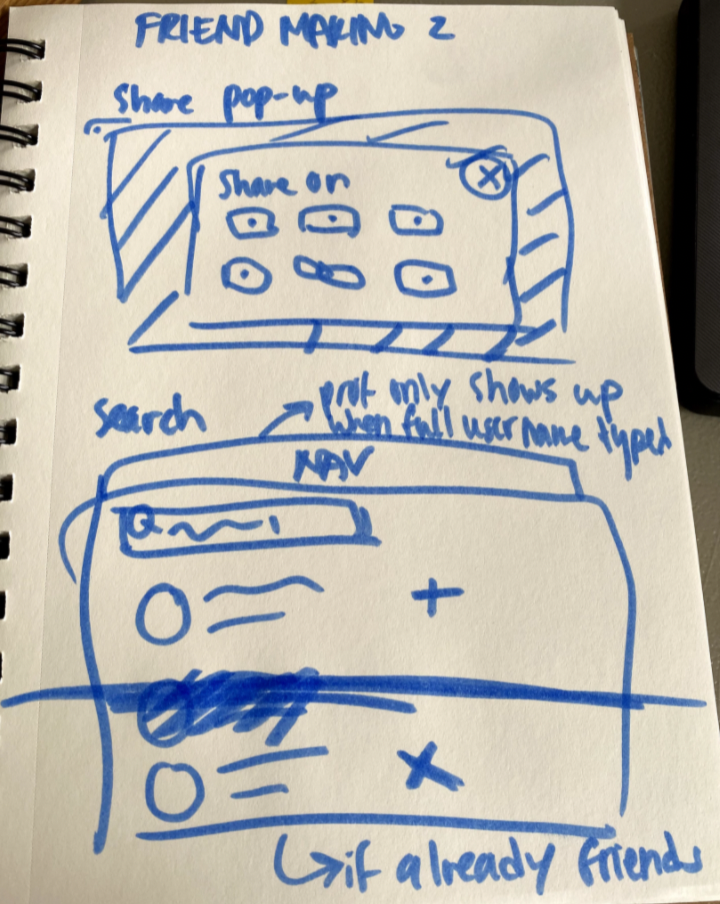
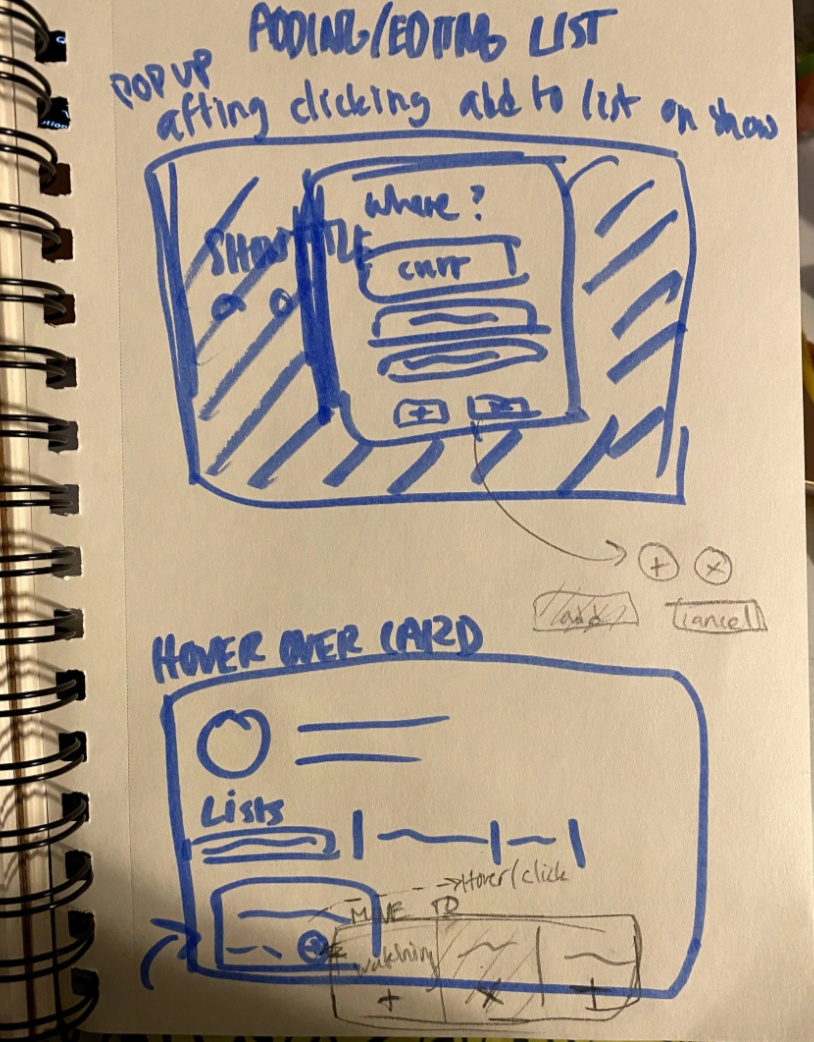
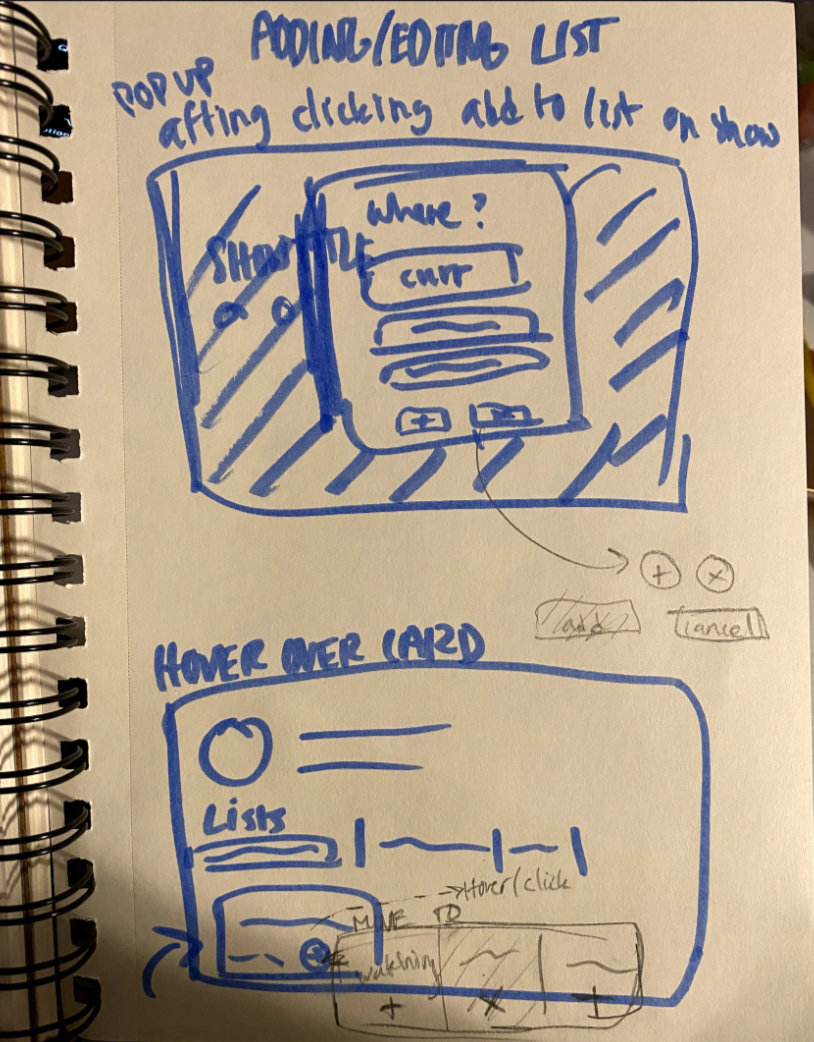
I narrowed down the features laid out in the sections from before. I also did some brief user interviews on my sketches to get quick feedback. Here are the top rated features and some user journeys.

Making Friends + Lists
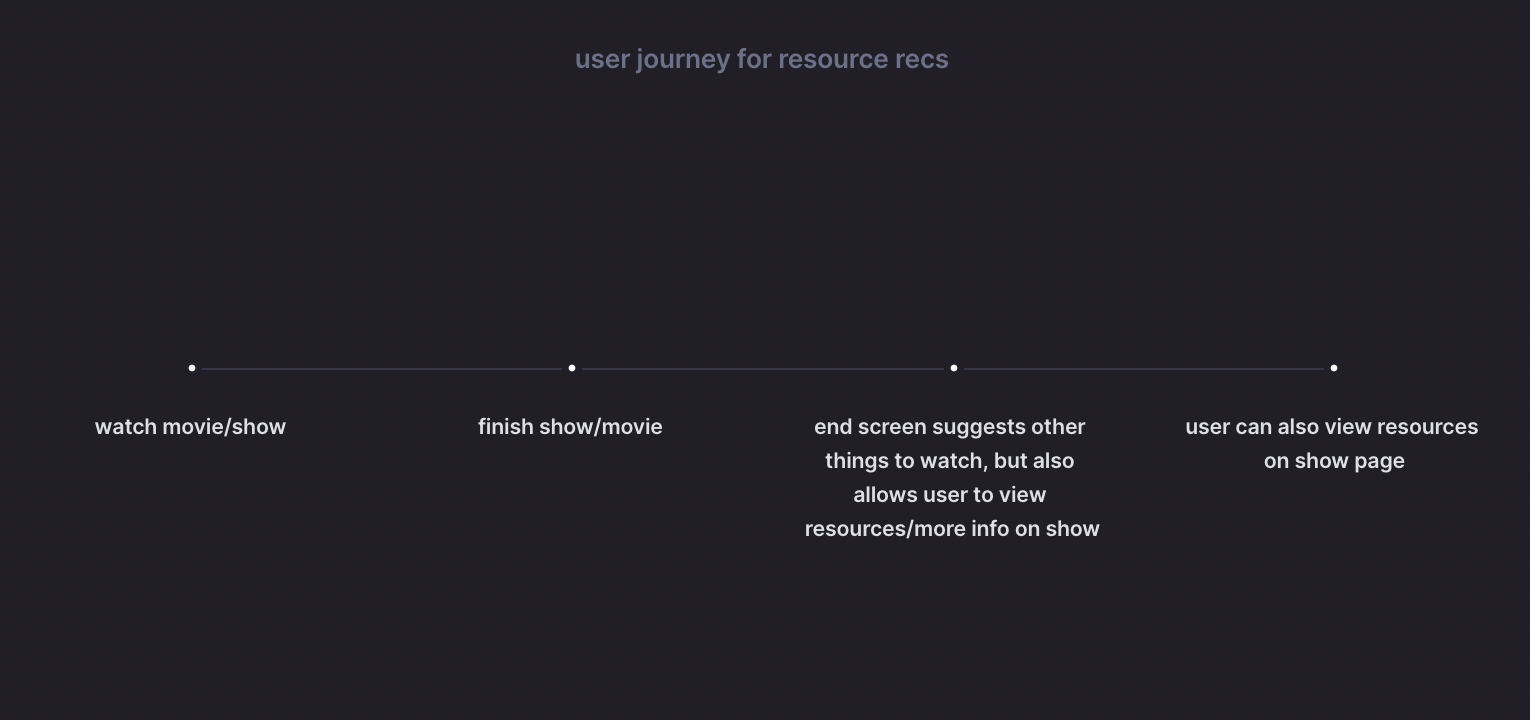
Resource Recs
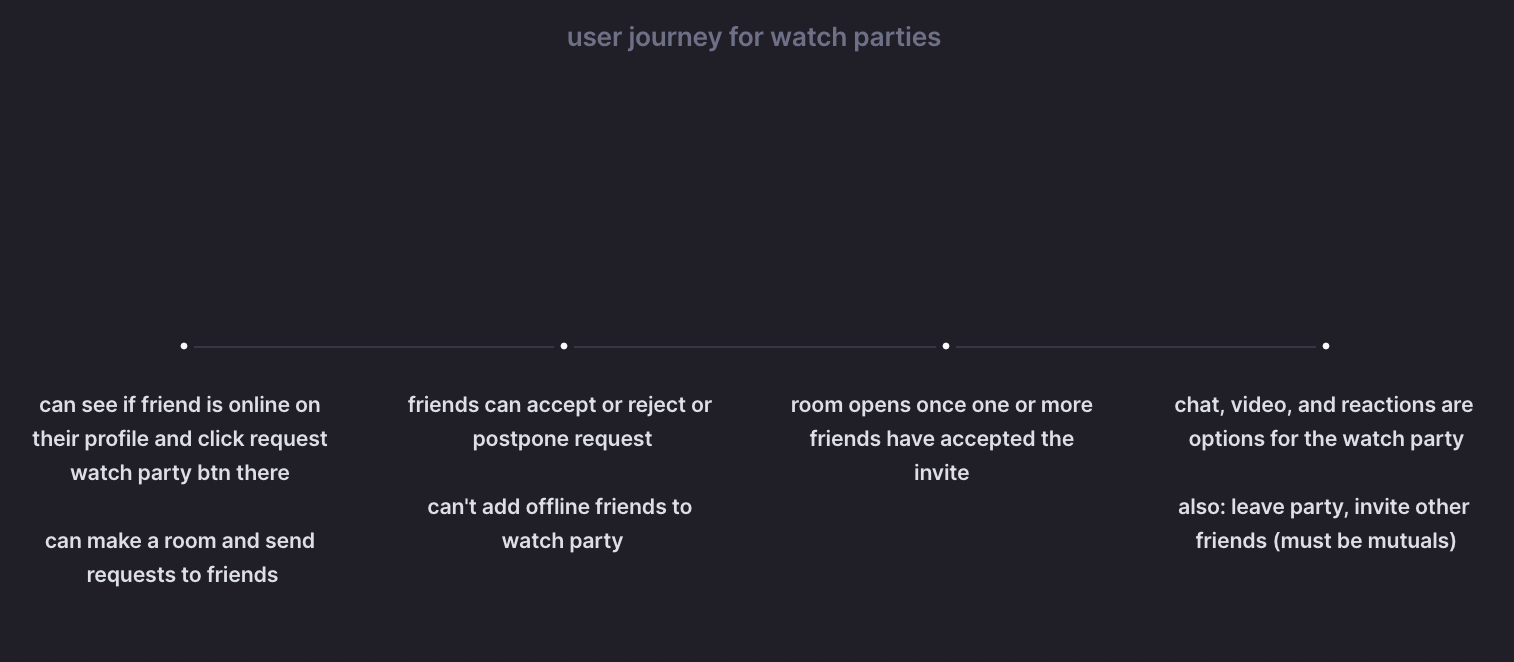
Watch Parties
Interaction Design
Next, I made some Figma prototypes and tested my interaction designs.
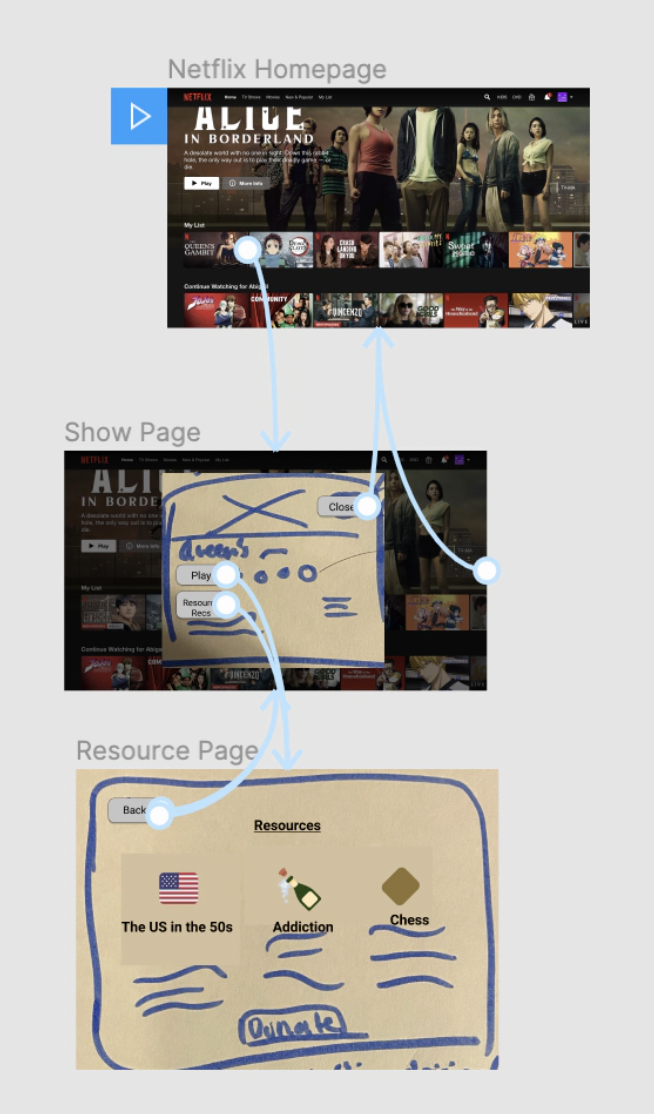
Resource Recs Interview Qs
Context: You're a college student who just watched Queen's Gambit. You loved it and want to learn more.
Task 1: Find resources related to the show.
Any other ways you'd get to the resources?
Show other ways if not mentioned (end of show + show page)
What do you expect to see in the resources?
Resources I'm thinking of adding
EDU Resources
time period
social issues discussed (addiction, feminism)
Action-y resources
Museums
Resource Recs Interview Takeaways
Resources and CTAs Useful For Documentaries
Sees reading material or background information on how the doc was produced to be useful resources. Learning about production, who was involved, and the context of the film can change one's perspective on the doc and help one understand filmmaking choices.
Again, resource recs may not be suitable for every show
It might take a lot of stretching to add a resource rec for iCarly.
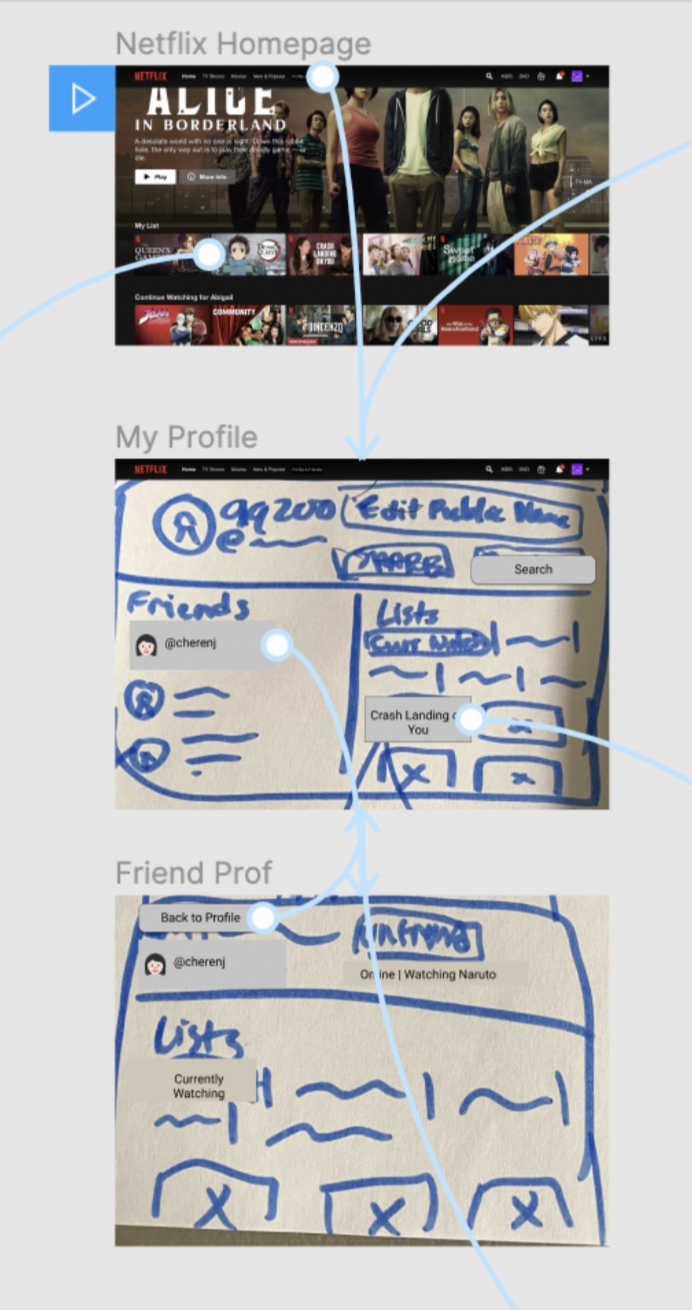
Friend Making Interaction
Context: You're a college student who has already added a few friends on Netflix.
Task 1: Find your list of friends.
Task 2: Find your friend @cherenj's profile page.
Find your friend @ Cherenj
What do you expect to see on your friend's profile?
Do you like being able to see your list and friends list on the same screen?
General thoughts?
Friend Interaction Interview Takeaways
Simply the UI
Just write "Profile" on navigation bar. Seeing both friends and lists on one screen is overwhelming. Follow Spotify and allow for more scrolling.
Additional add-ons for friend profile
It's important to see what episode a friend is on to avoid spoilers.
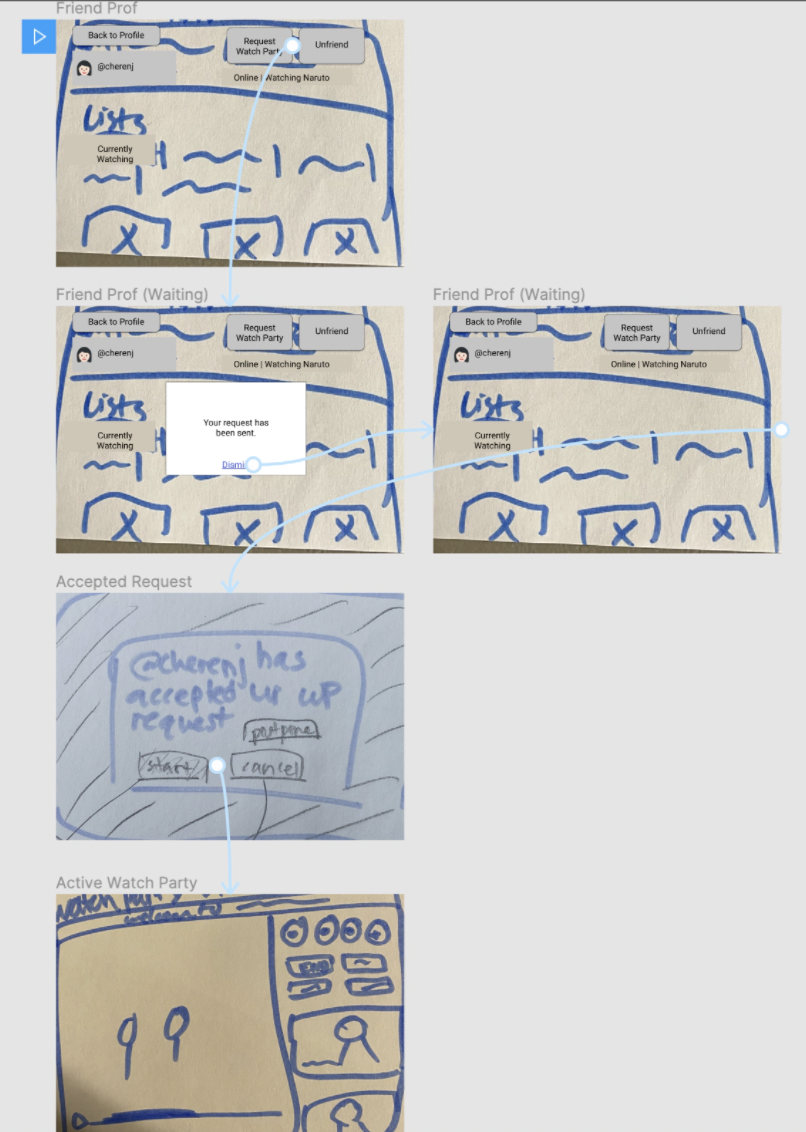
Watch Party Interaction Qs
Context: You want to have a watch party with your Netflix friend @cherenj.
Task: Request, then start a watch party with @cherenj.
Follow up questions:
Were you expecting to see anything else on your friend's profile page?
Would you like to see anything else of their page?
What were any pain points you experienced?
What did you enjoy from this experience?
Were there too many clicks?
General thoughts on this experience?
Watch Party Interview Takeaways
Wanted to click off screen during WP Invite Sent pop up
Allow users to do that.
User had ideas for how users can choose shows during Watch Party
Add suggestions for what friends can watch: Last Watched Together, You Would Both Enjoy. Allow for show browsing during Watch Party.
My next steps were creating more wireframes and writing up more user tests.
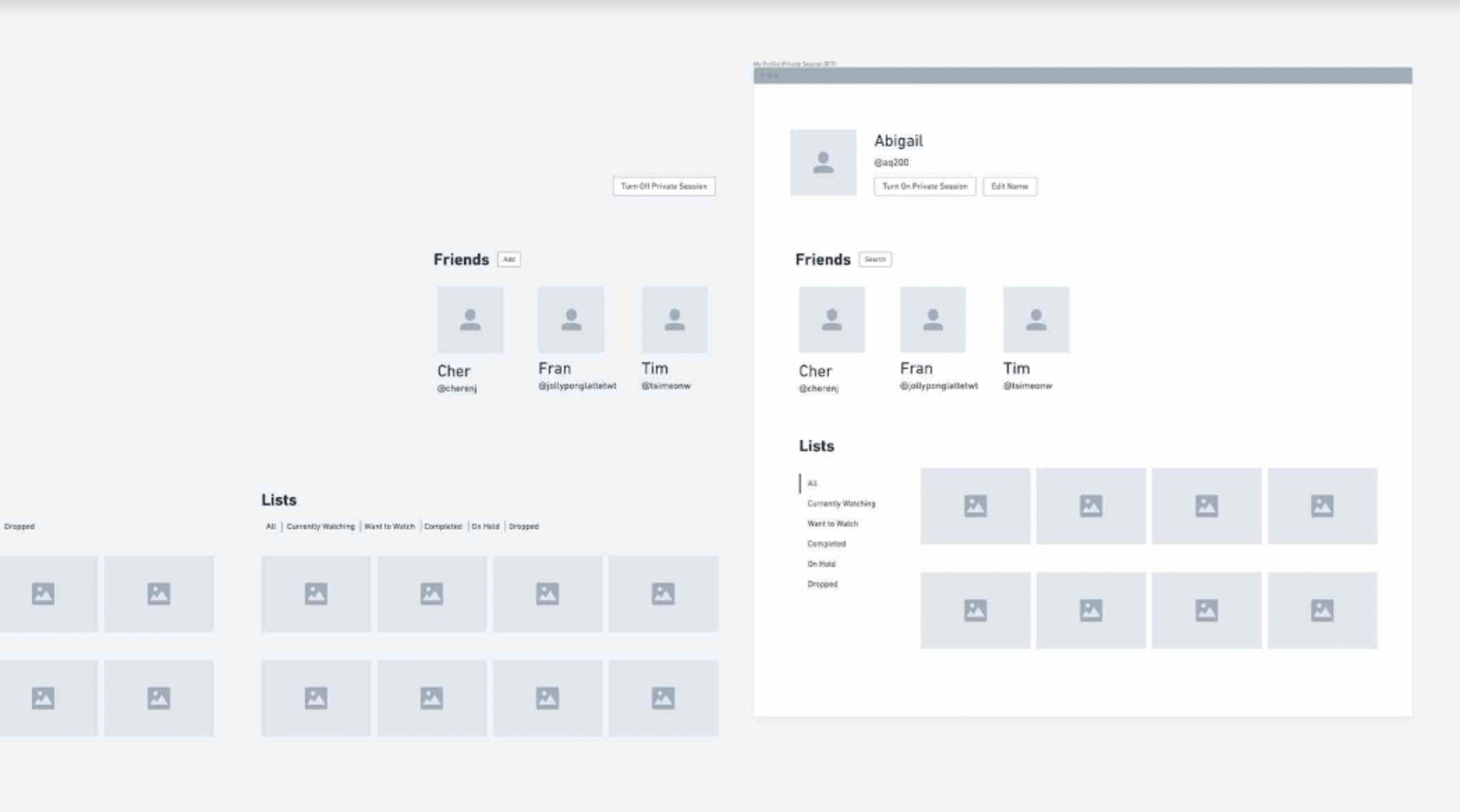
Whimsical Wireframes
Using Whimsical, I made higher fidelity versions of my wireframes.

Further Tests
I also planned more tests regarding the UI, but wasn’t able to conduct them due to time constraints.
To make higher fidelity wireframes, I made vision boards composed of screenshots from Netflix and other sites that contained features similar to the ones I’m designing. I also practiced making Netflix-style components using Figma.
Before working on the next iteration of my designs, I chose 2 key screens to focus on.
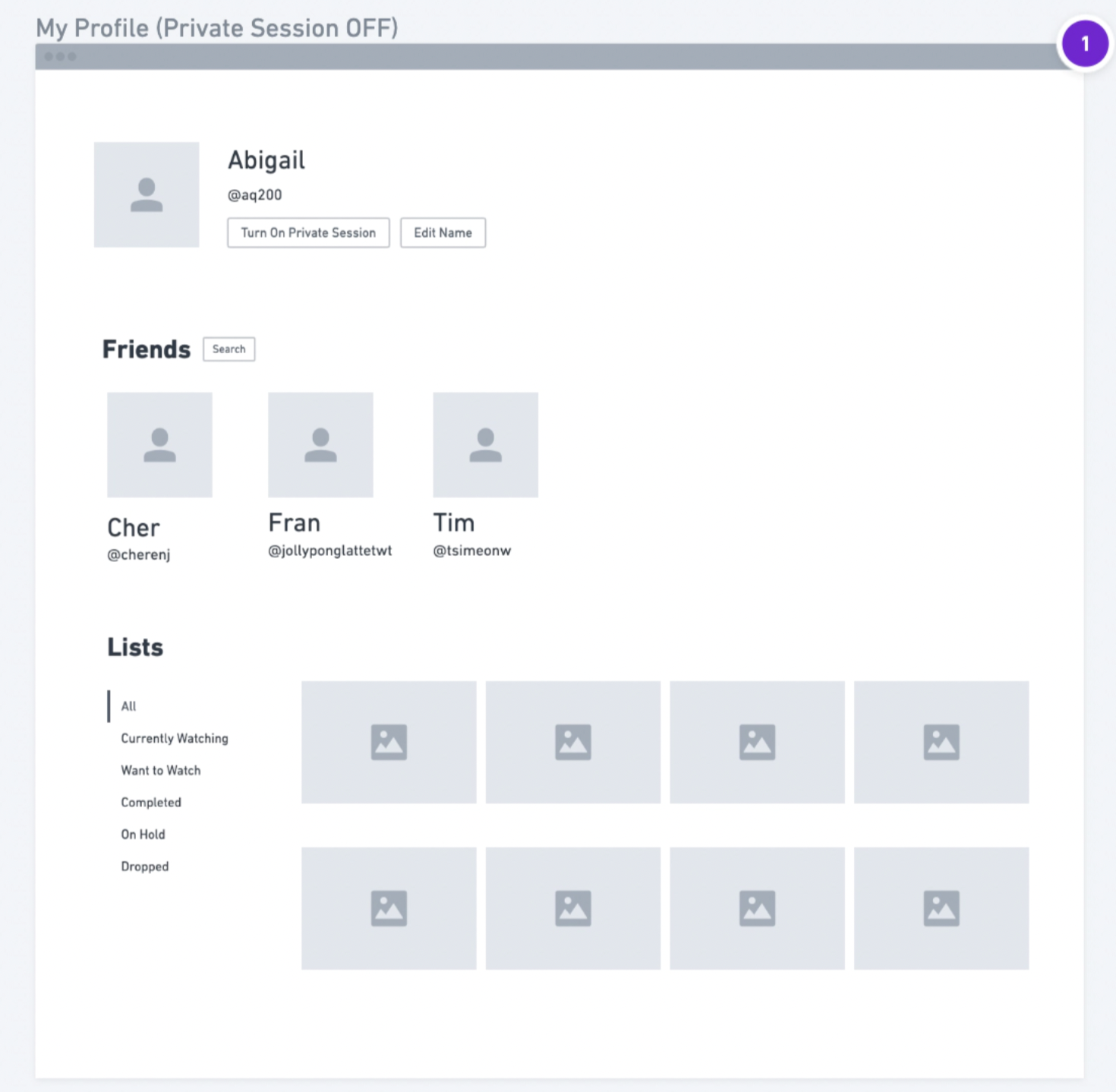
My Profile
This is the profile of the user who is logged into the account. This is one specific user on the Netflix account. I chose this screen because it encapsulates 2 of the new features (Friends + Lists) I'm adding and it would be frequently used in terms of social features.

Default Watch Party Screen
This is the first screen users see when their friend has accepted a Watch Party. I've only designed this feature for use between 2 friends, which is why 2 friends are selected. I chose this feature since it's a major feature I'm adding and I'd imagine users would use this a lot in terms of using the Watch Party Feature.
Act III: Deliverables
The Report and Prototype
To see more detailed documentation on each stage of this project. View the slide deck linked below.
My final product for this class were high fidelity Figma wireframes. View those (labeled “v4”) and previous iterations on Figma.